Healthcare Panic Buttons: Personal Safety Devices for Healthcare Workers
Learn how healthcare panic buttons help nurses and other healthcare workers call for help during emergencies. Explore key features, monitoring options and personal safety devices for healthcare staff working in hospitals, patient homes and community settings.

Originally published July 4, 2023. Updated November 2, 2026.
Healthcare workers spend their days caring for others, often in situations that can change without warning. Whether a nurse is assisting a patient in a hospital, a clinician is conducting a home visit, or a caregiver is traveling between appointments, access to help isn't always immediate.
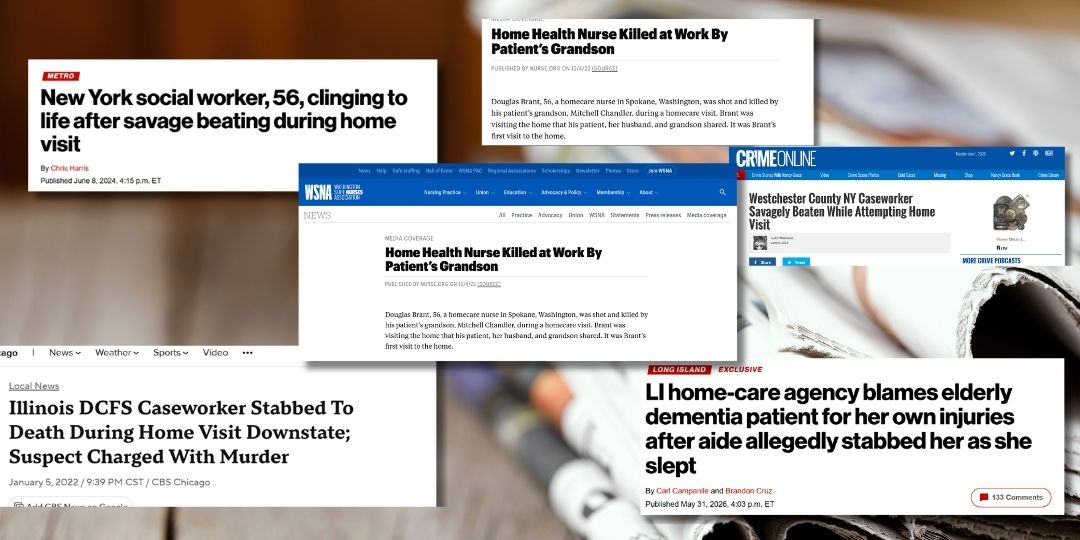
Healthcare workplace violence remains an ongoing concern, with incidents affecting healthcare professionals across a range of settings. Read our overview of recent attacks on healthcare workers to understand the risks workers face and why access to support matters.
A healthcare panic button gives workers a discreet way to call for help when they feel threatened, face an emergency, or need urgent assistance. When connected to a professional monitoring service, these personal safety devices can help healthcare organizations respond to incidents more quickly and provide staff with an additional layer of protection.
But not all panic buttons work the same way. Understanding how they operate, which features matter and where they can be used helps healthcare employers choose a solution that fits their workforce.
What Is a Healthcare Panic Button?
A healthcare panic button is an emergency alert device that allows healthcare professionals to request assistance with the press of a button. Depending on the solution, it may be a dedicated wearable device, a lone worker watch integrated into a personal safety device, or a feature within a lone worker app.
Unlike a standard phone call, a discreet panic button can allow a worker to raise an alert without having to unlock a phone, dial a number or explain the situation before help is contacted.
When a connected panic button is activated, the alert can reach a 24/7 monitoring center. Trained operators can listen to the situation, identify the worker's location where available, assess the incident and coordinate an appropriate response according to established procedures.
For healthcare professionals working alone or in environments where immediate assistance may not be available, this connection can be particularly valuable.
How Does a Panic Button for Healthcare Workers Work?
The exact process depends on the device and monitoring service, but a professionally monitored healthcare worker panic alarm typically follows four steps.
1. The worker activates an emergency alert
If a patient becomes aggressive, a visitor makes a threat, or another situation puts a worker's safety at risk, the employee presses the panic button on their personal safety device.
Some devices are designed to make activation discreet, allowing workers to raise an alert without drawing additional attention to themselves.
2. The alert connects to a monitoring center
The device sends an alert to a trained operator. With a monitored solution, the operator can listen to the situation through the device's audio connection, helping them understand what may be happening without requiring the worker to speak.
3. The operator assesses the situation
The operator uses available audio and location information, along with the organization's response procedures, to assess the incident. This can be particularly important when a worker cannot safely explain what's happening.
4. Appropriate assistance is coordinated
Depending on the circumstances, the operator can contact emergency services, notify designated contacts or follow the agreed escalation process.
This means workers don't have to manage every step of the emergency response themselves. Instead, they have access to a support system designed to help when they need it.
Why Do Nurses and Healthcare Workers Need Panic Buttons?
Healthcare professionals work in a wide range of environments, and their personal safety needs can vary considerably. A panic button provides an additional way to request help when a situation becomes unsafe.
Supporting nurses in hospitals and healthcare facilities
Nurses regularly interact with patients, visitors and other members of the public. While most interactions are routine, some can become unpredictable or confrontational.
A panic button for nurses provides a way to alert a monitoring center when a nurse feels threatened or needs urgent assistance. Wearable devices can be particularly useful when staff need to keep their hands free to provide care.
Organizations can also consider panic button access for staff working in isolated rooms, less frequently occupied areas or other locations where nearby colleagues may not immediately notice an incident.
Protecting home healthcare workers during patient visits
Home healthcare workers face a different set of challenges. They may enter unfamiliar residences, work without colleagues nearby and encounter situations that are difficult to assess before arriving.
A patient or visitor may become aggressive, a household situation may feel unsafe, or a worker may need help while traveling between appointments.
A panic button for home healthcare workers offers a discreet way to request support without relying solely on a personal phone. When the device provides location information and connects to a monitoring center, it can help operators determine where assistance may be needed.
Giving community healthcare professionals access to support
Community nurses, social workers, hospice professionals and other mobile healthcare staff often move between locations throughout a shift.
A wearable personal lone working device can give these employees a consistent way to raise an alert, whether they are visiting a client, working in a community setting or traveling alone.
The goal is to give workers a practical way to get help beyond the traditional clinical environment.
What Features Should a Healthcare Panic Button Have?
When comparing personal safety devices for healthcare workers, consider more than the button itself. The supporting technology and response process determine how useful an alert can be during an emergency.
Discreet emergency activation
Workers may need to raise an alert without escalating a confrontation. Look for a device that is easy to activate discreetly and simple to use under pressure.
24/7 professional monitoring
A panic button connected to a continuously staffed monitoring center gives workers access to trained operators at any time, including nights, weekends and holidays.
Check what happens after an alert is received, who assesses the situation and how emergency services or designated contacts are notified.
Location information
Location capabilities can help operators identify where a worker may need assistance. This is especially useful for home healthcare professionals and community-based staff who work across multiple locations.
Ask whether the solution provides location information on demand, periodic location updates or additional location details during an emergency.
Two-way communication or audio monitoring
Depending on the situation, a worker may not be able to explain what is happening safely. Audio monitoring can help trained operators assess an incident without requiring the employee to hold a conversation.
Some solutions also offer separate two-way communication features for situations where speaking with an operator is appropriate.
Automatic fall or incapacitation alerts
Not every emergency involves a threat from another person. A worker could experience a medical emergency or fall and be unable to press the panic button.
A device with a Man Down or incapacitation alert can automatically raise an alarm when its sensors detect a qualifying event, subject to the device's settings and detection capabilities.
Reliable connectivity
Healthcare workers may move between buildings, patient homes and areas with varying network coverage. Consider devices with agnostic cellular connectivity and Wi-Fi calling capabilities to help maintain access to support across different working environments.
A comfortable, practical design
The best device is one workers can wear and use throughout their shifts. Consider comfort, durability, ease of activation and whether the design suits the employee's role.
For example, a staff member who wears an ID badge may prefer a device that combines identification with personal safety features, while a mobile clinician may prefer a compact wearable device.
How to Choose Personal Safety Devices for Healthcare Workers
The right panic button depends on where your employees work, the risks they face and how your organization responds to emergencies.
Before choosing a solution, consider these questions:
- Where do employees work? Assess the needs of hospital staff, home healthcare workers, community clinicians and employees who travel between appointments.
- How quickly can workers reach help? Consider whether a device connects directly to a monitoring center or relies on an internal contact being available.
- Can employees activate it discreetly? Ask whether the device can be operated without interrupting care or escalating a confrontation.
- What happens after an alert? Establish who receives notifications, when emergency services are contacted and how supervisors are informed.
- Will employees use it consistently? Involve staff in selecting a device and provide training on when and how to activate it.
- Does it support your existing safety procedures? The device should complement risk assessments, incident reporting, training and workplace safety policies.
A panic button is one part of a broader safety program. It does not prevent every incident or replace appropriate staffing, training, supervision or other risk controls. Its value lies in giving workers a direct way to request help and providing a defined process for responding.
Personal safety devices work best as part of a broader workplace violence prevention strategy. Explore our guide to preventing workplace violence in healthcare for practical steps employers can take to assess risks, prepare staff and improve workplace safety.
How SoloProtect Panic Buttons Support Healthcare Workers
SoloProtect provides personal safety devices and mobile safety technology designed to help protect lone and high-risk workers, including healthcare and home healthcare professionals.
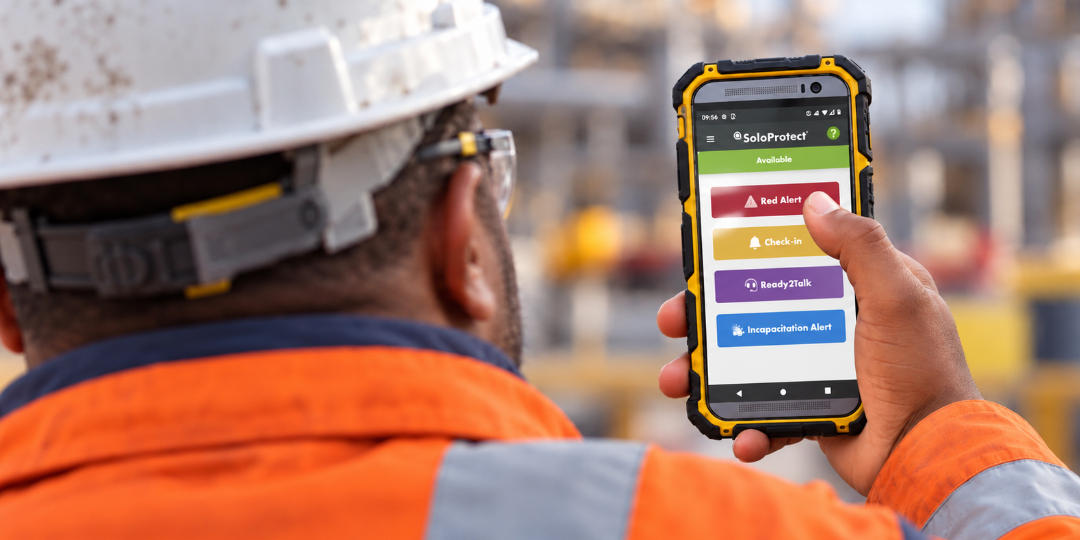
The SoloProtect Red Alert panic button connects users to a 24/7 Monitoring Center. When a worker activates an alert, trained operators listen to the incident, use available location information to assess the situation and coordinate an appropriate response.
SoloProtect safety solutions offer features that can include:
- Red Alert: A discreet way to raise an emergency alarm and connect to the Monitoring Center.
- Man Down Alarm: Automatic alerting when a device detects a qualifying fall or incapacitation event.
- Location information: Helps operators identify a worker's location during an emergency.
- 4G and Wi-Fi calling: Connectivity options designed to support communication across different working environments.
- Check-In: Allows workers to record a short message with information about their location and activity.
- Ready2Talk: A monitored chaperone service that supports workers in situations where they feel vulnerable or anticipate a safety risk.
The appropriate features depend on the device or solution selected. Healthcare organizations can assess their employees' roles and risks to determine which combination of features best supports their safety procedures.
Give Healthcare Workers a Direct Way to Get Help
Healthcare workers should be able to focus on providing care without feeling they have to manage a threatening situation alone. A healthcare panic button provides a practical way to raise an alert and access support when an incident occurs.
For organizations employing nurses, home healthcare workers and other professionals who work independently, the right personal safety device can help close the gap between recognizing danger and getting assistance.
Explore SoloProtect's personal safety devices for health and homecare workers to learn how discreet panic buttons, professional monitoring and connected safety features can support your workforce.
Book a demo to see how SoloProtect can help protect your healthcare staff.